The fieldDrawings & markups
Callouts that are actually links
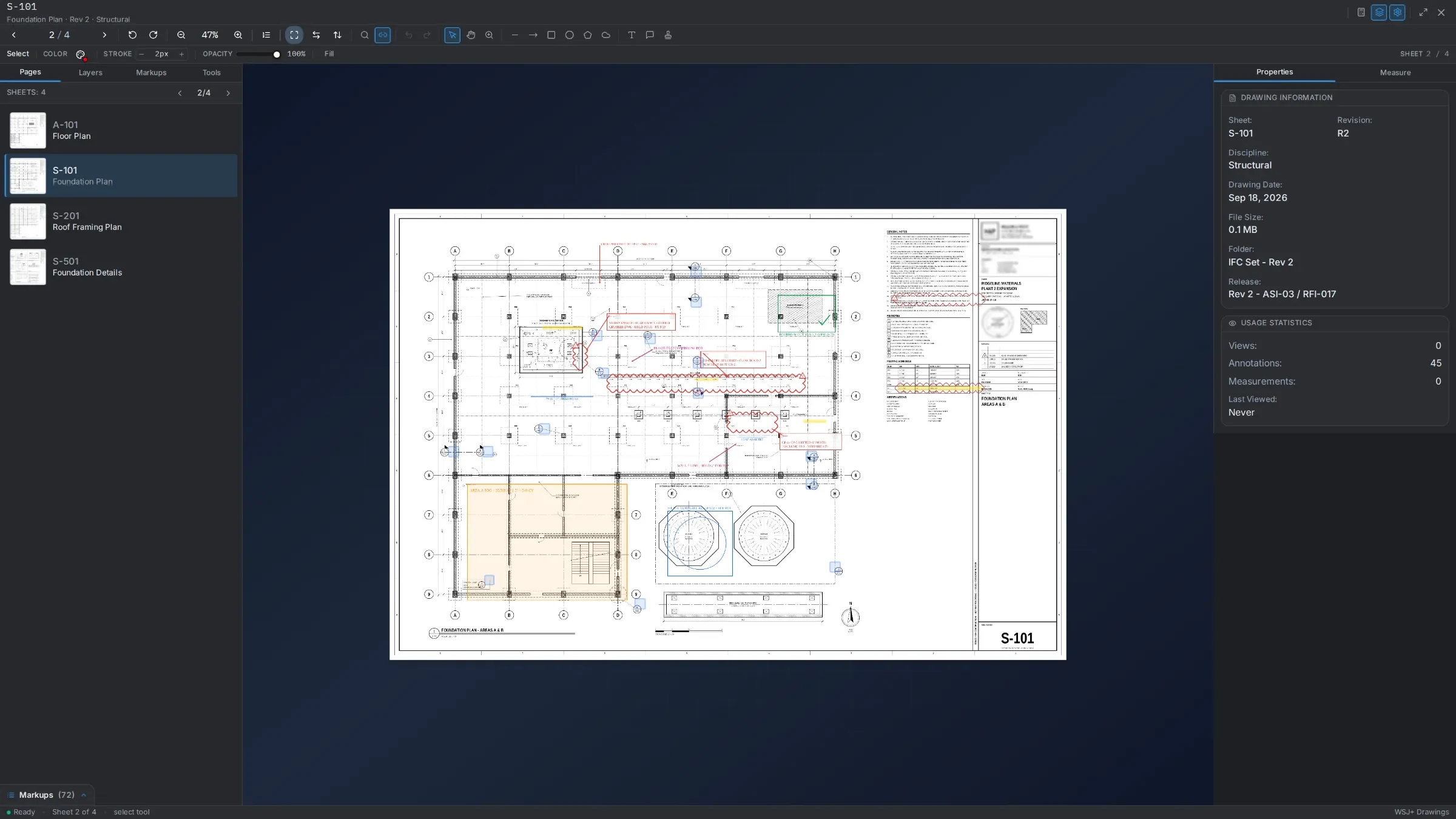
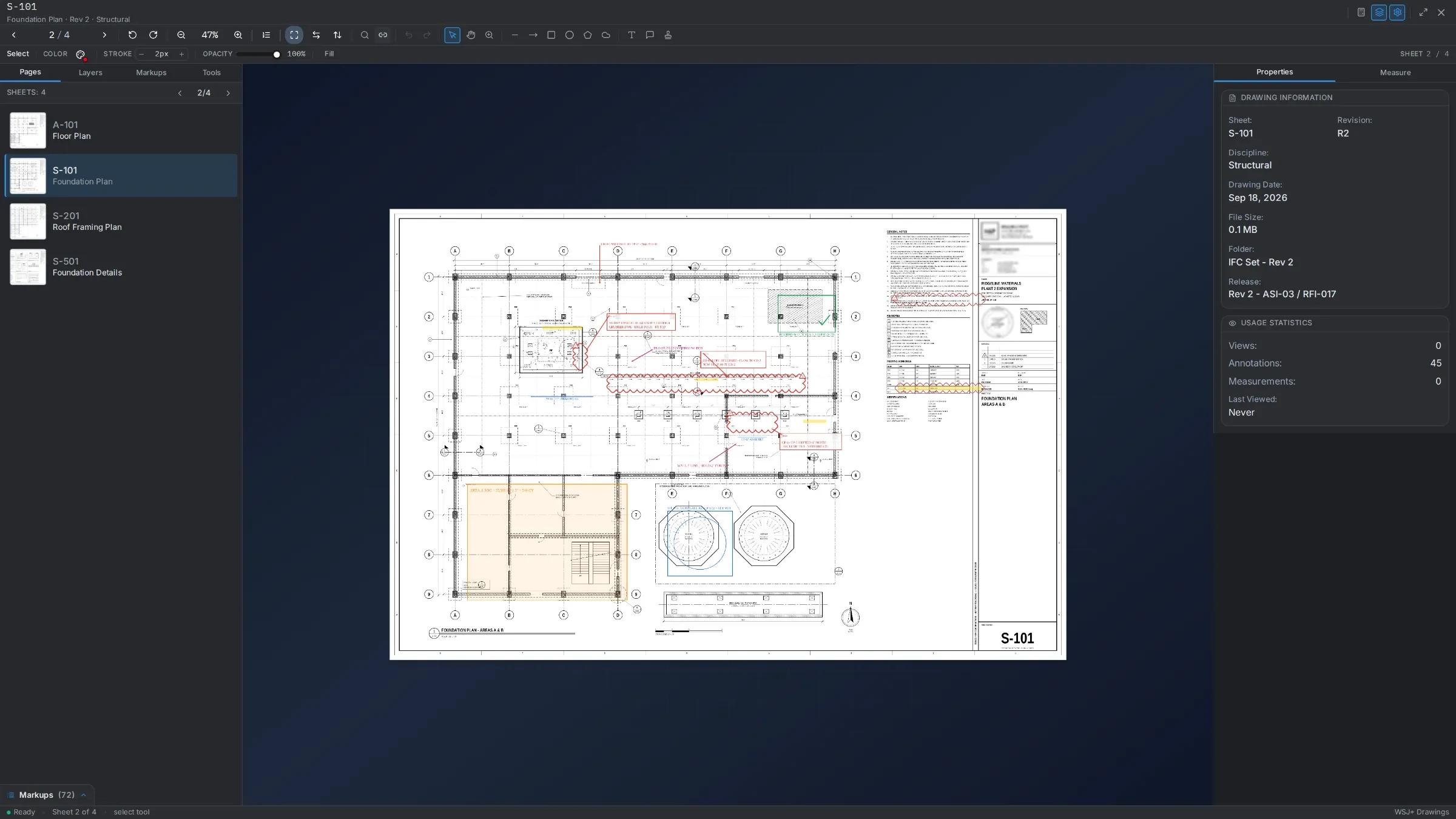
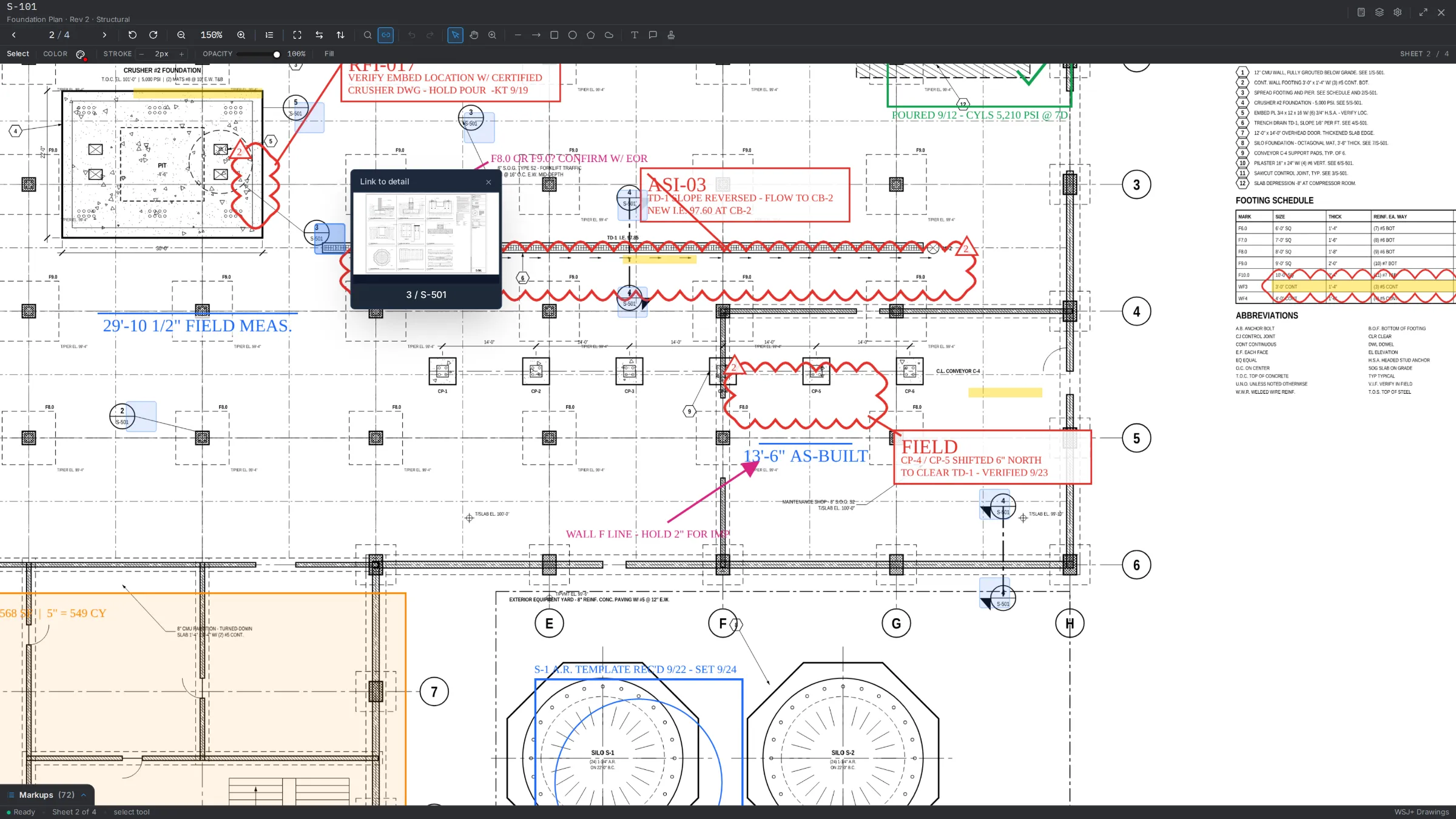
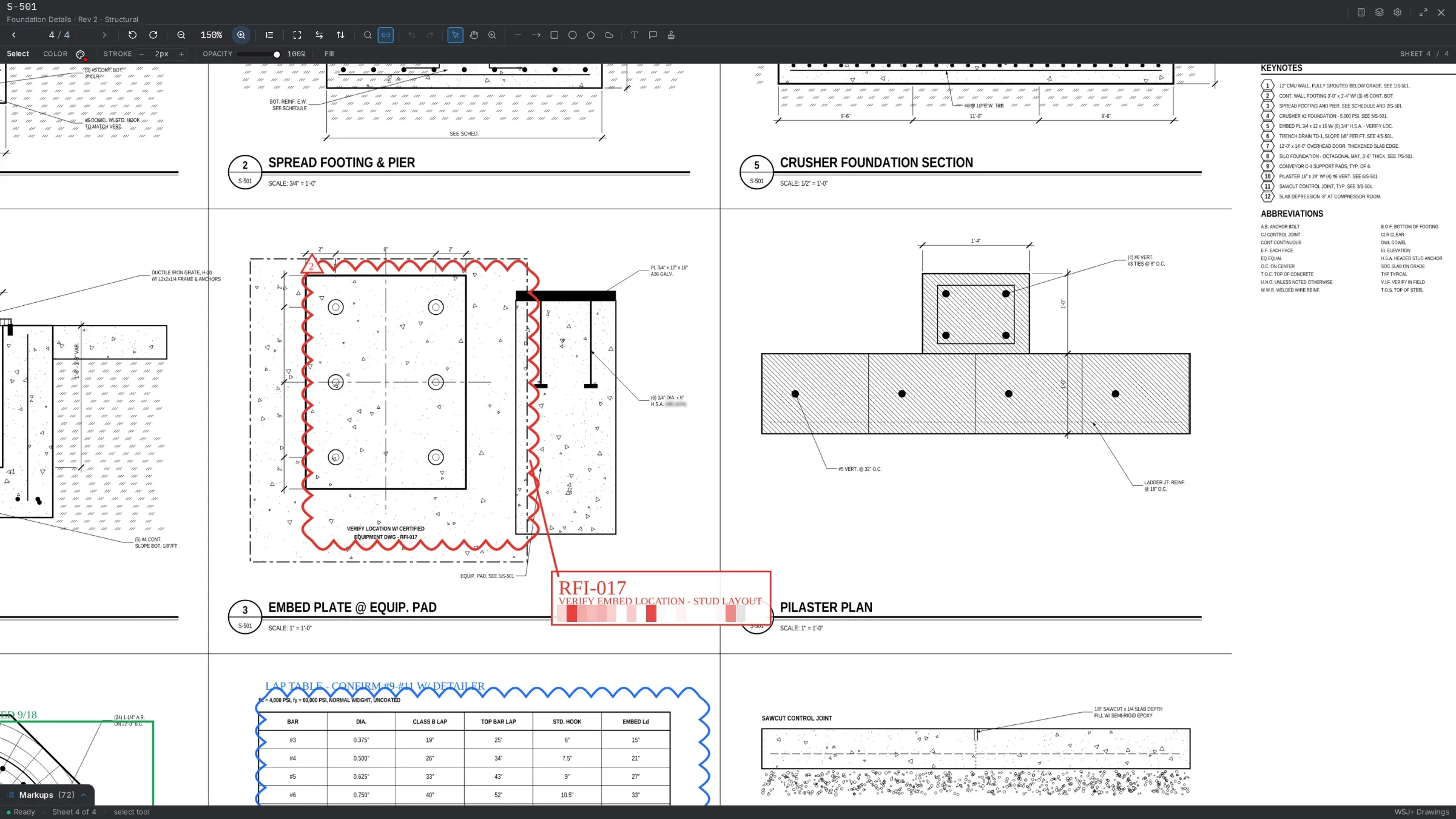
Plan sheets are read for their callouts, and the ones we can resolve become links you can tap through.
Plan links
Follow one callout
Sheets with their revision history. Callouts the system can resolve become links you follow straight to the sheet they reference — and the ones it is not confident about go to a review queue instead of being guessed at.
Markups
Nine kinds of markup, each with a status
Markups are drawn on the sheet and stay with it. Each one carries its own review status, so the office can see which comments were accepted, rejected or completed without asking.
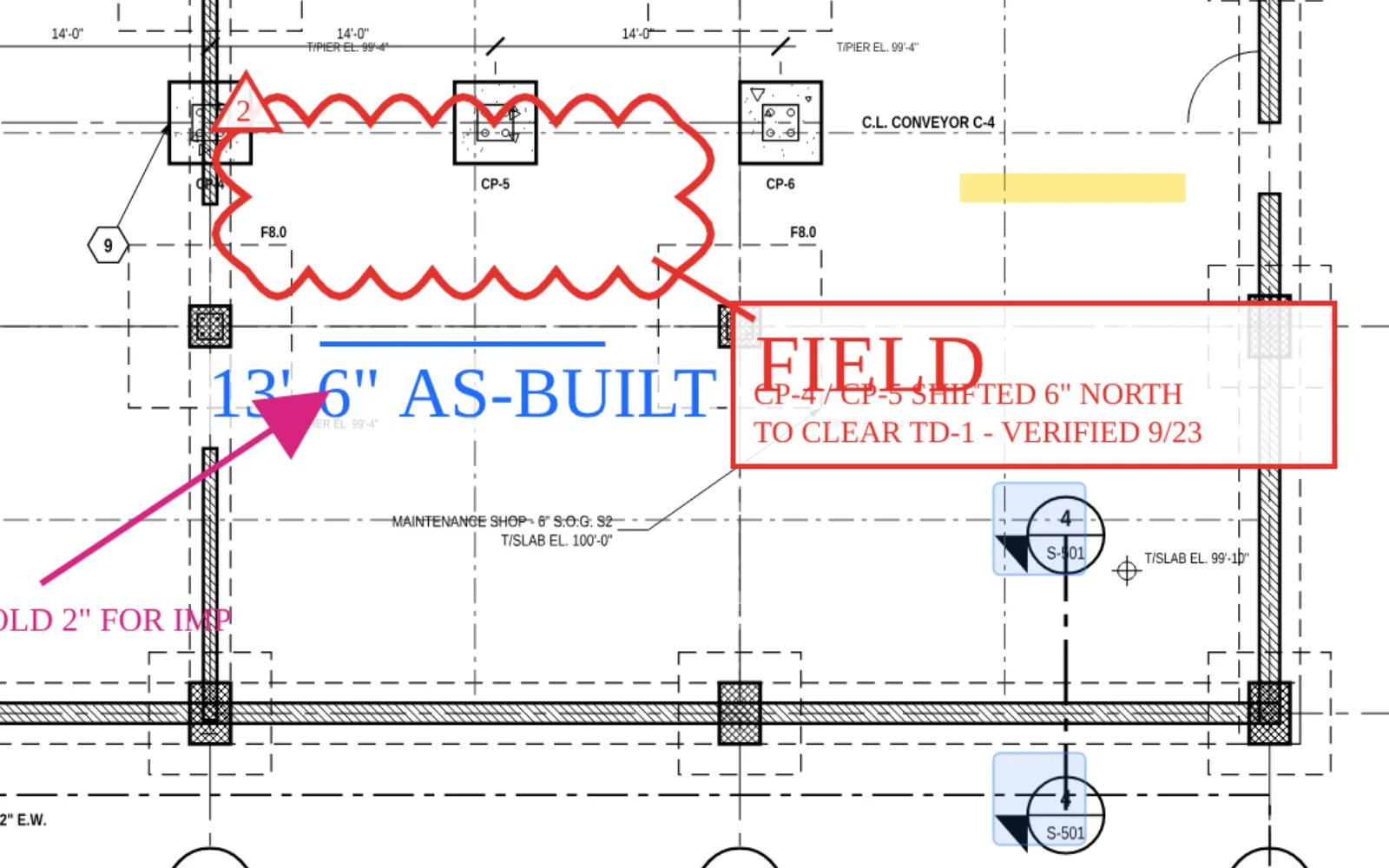
Tools
- Line
- Arrow
- Rectangle
- Circle
- Polygon
- Cloud
- Text
- Callout
- Stamp
Review status
- Accepted
- Rejected
- Cancelled
- Completed
Sheets
A set arrives already read
Upload a set and each page is read for its sheet number, title and discipline. The reads come back with a confidence score and go through a review grid before anything is saved.
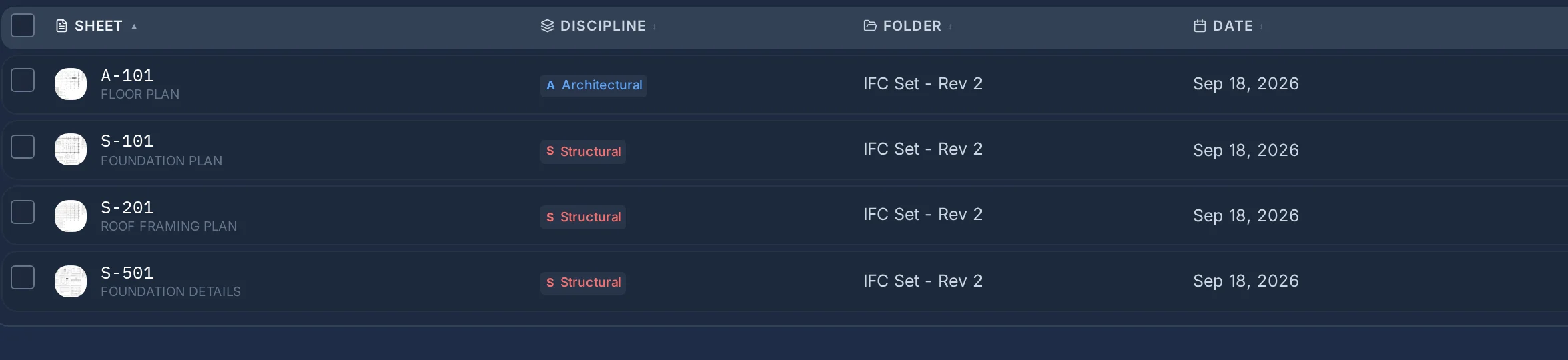
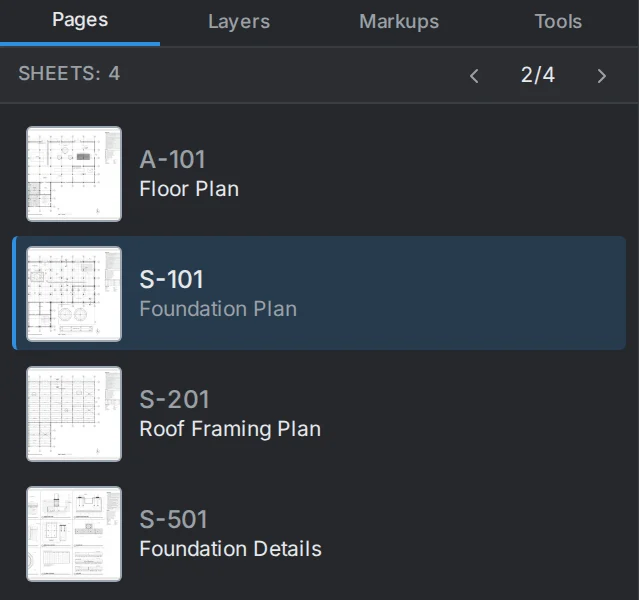
- 01Upload the setEach page of the file becomes a sheet on the job.
- 02Check the readSheet numbers, titles and disciplines come back in a grid with a confidence score, and any field can be corrected there.
- 03Save the reviewed listOnly the reviewed sheets are committed, and the corrections are recorded with them.
On every sheet
What travels with a sheet
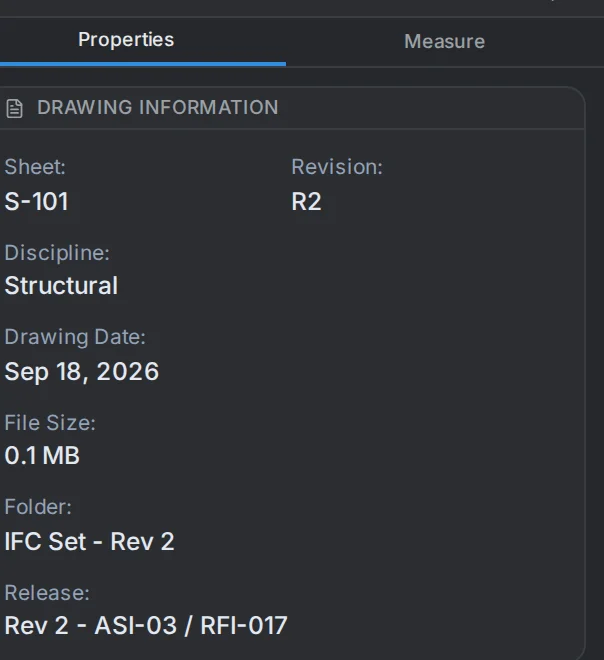
- Revision history
- Each sheet keeps its revision and release, shown in the viewer with its discipline, drawing date and folder.
- Plan links
- Resolved callouts link to the sheet they reference. One button in the viewer shows or hides them.
- A review queue
- Callouts the system is not confident about wait for a person instead of being guessed at.
- Markups
- Line, arrow, rectangle, circle, polygon, cloud, text, callout and stamp, each with a review status.
- Sets, folders and collections
- Sheets are grouped the way the job issues them and listed with their discipline, set and date.
- RFIs
- Raised against the drawing they concern and tracked through to an answer, with replies, attachments and a status history.